
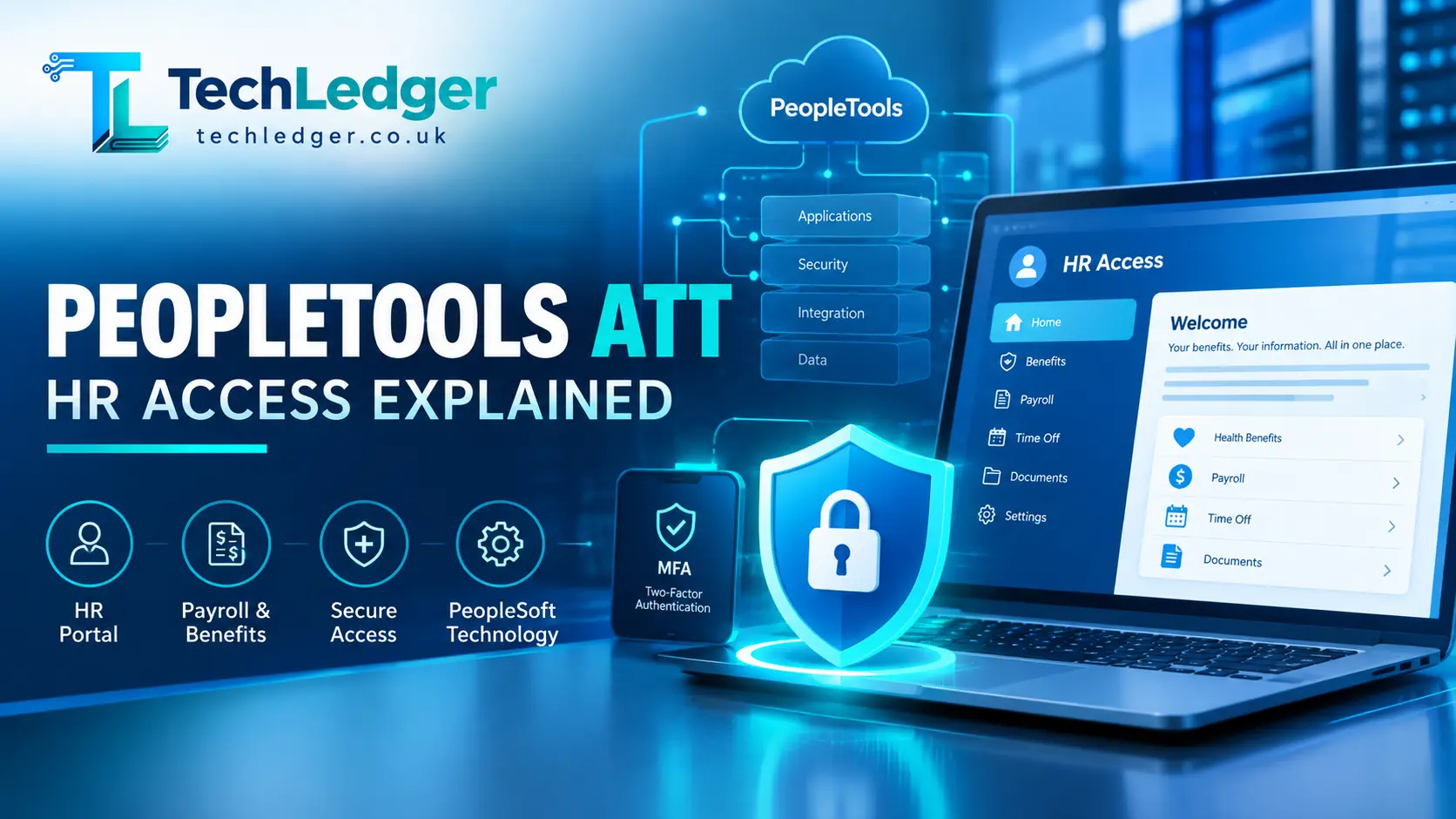
“PeopleTools ATT” almost always refers to one of two connected things. First, Oracle PeopleTools is the underlying software framework built originally by PeopleSoft and owned by Oracle since 2004 that powers enterprise HR and finance systems. Second, and far more commonly what people are actually searching for, is AT&T’s employee HR portal, officially called AT&T HR Access (also known as HR OneStop), which runs on that PeopleSoft/PeopleTools technology at hraccess.att.com.
This portal serves as a crucial resource for AT&T employees, offering a range of services including access to pay stubs, benefits information, and personal data management tools. By leveraging the capabilities of PeopleTools, HR Access provides a user-friendly interface that allows employees to manage their HR needs efficiently.
Additionally, the integration of tools like self-service options and mobile accessibility has significantly enhanced user experience, making it easier for employees to stay informed and engaged with their benefits and employment details. Understanding how to navigate this portal is essential for AT&T employees, as it not only streamlines administrative tasks but also empowers them to take control of their personal and professional information effectively.
If you’re an AT&T employee, retiree, or dependent trying to check a pay stub, enroll in benefits, or reset a password, the portal not the underlying developer toolkit is what you need. This guide breaks down both meanings, walks through the real login steps, and covers the errors people run into most.
Navigating the AT&T employee portal can sometimes feel daunting, especially with the various features and services available. To get started, make sure you have your employee ID and associated credentials handy, as these are essential for accessing your personal information securely. Once logged in, you can easily view your pay stubs, manage your benefits enrollment, and reset your password if needed. If you encounter any issues during this process, common error messages or troubleshooting tips will be discussed in the following sections to help you resolve them efficiently.
Why “PeopleTools ATT” Is a Confusing Search Term
A quick look at how this phrase gets used online shows the confusion instantly. Some articles treat “PeopleTools ATT” as if it were a standalone SaaS product with sign-ups and free trials. Others use it as shorthand for AT&T’s internal HR system. In reality, neither AT&T nor Oracle sells a product literally named “PeopleTools ATT.” The name is a mashup of two real, separate things:
- PeopleTools — Oracle’s proprietary development platform for PeopleSoft applications.
- ATT — AT&T, the telecom company that licenses PeopleSoft to run its internal HR, payroll, and benefits systems.
Because AT&T’s employee self-service system is built on PeopleSoft, employees and IT staff often refer to the login page informally as “the PeopleTools site” or “PeopleSoft ATT,” even though the correct name for the portal itself is AT&T HR Access. That informal habit is why the search term persists, and why so many low-quality pages try to rank for it with vague, recycled instructions. This article separates fact from filler.
What Is Oracle PeopleTools, Really?
According to Wikipedia’s technical entry on the software, PeopleTools is proprietary application software that PeopleSoft Corporation originally built, and it passed to Oracle Corporation when Oracle acquired PeopleSoft in 2004. Its job is to let both Oracle-built and custom-built applications run on a web-based architecture known as the PeopleSoft Internet Architecture (PIA).
In plainer terms, PeopleTools is the engine room, not the storefront. It gives developers and administrators the building blocks security models, page design tools, reporting engines, and a proprietary scripting language to construct large-scale HR, finance, and student-administration systems. Oracle-focused technical communities describe it as the backbone underlying every PeopleSoft application, covering development, customization, administration, integration, reporting, and lifecycle management.
Key technical facts worth knowing if you’re an administrator rather than an end user:
- Primary scripting language: PeopleCode, a proprietary object-oriented language used to express business logic for PeopleSoft applications, tightly integrated with SQL.
- Development environment: Application Designer, the primary IDE for building and customizing PeopleSoft pages and records.
- Reporting tools: PeopleSoft Query for ad hoc reports and Oracle BI Publisher for formatted, multi-format output.
- Automation: Workflow Designer, which lets administrators define approval hierarchies and automate business processes.
- Long-term support: Oracle-focused sources note that Oracle has committed to supporting PeopleSoft through at least 2036, releasing PeopleTools updates on a roughly 12-18 month cadence.
If your interest in “PeopleTools ATT” is on this technical, developer side of things say, you’re evaluating PeopleSoft as an ERP platform or maintaining an existing install the resource to trust is Oracle’s own PeopleSoft documentation and PeopleTools release notes, not third-party recap blogs.
What Most People Actually Mean
For the overwhelming majority of people typing “PeopleTools ATT” into Google, what they want is access to AT&T’s employee self-service portal. This system is officially named AT&T HR Access, sometimes branded internally as HR OneStop, and it lives at hraccess.att.com. It’s the system AT&T employees, retirees, dependents, and former employees use to manage:
- Pay stubs and payroll information
- Health, dental, and retirement benefits enrollment
- Personal and tax information updates
- Leave of absence and short-term disability status
- Pension estimates and retirement documents
Because it’s built on PeopleSoft’s employee self-service modules, the underlying pages are generated by the same PeopleTools framework described above which is the real, if indirect, link between “PeopleTools” and “ATT” in this search term.
Who Uses Which Login Path
AT&T HR Access splits users into distinct groups because active employees, retirees, and dependents each need different verification and different data access. Based on the portal’s structure as described across several independent walkthroughs of the site, the paths break down like this:
| User Type | Login Credentials Needed | Typical Access |
|---|---|---|
| Active Employee (incl. short-term disability, leave of absence, suspension) | ATTUID + Global Logon password | Pay, benefits, personal info, from work or non-work locations |
| Retiree / Former Employee | Registered Global Logon (register first if new) | Pension, retiree benefits, tax documents |
| Dependent | Registered Global Logon tied to employee’s account | Dependent-specific benefits access |
| Non-Management / Former Wireline Employee | Separate registration required before first login | Legacy wireline HR functions |
(Sources: AT&T HR Access portal structure as documented by multiple independent step-by-step guides; see sourcing note below.)
Step-by-Step: Logging Into AT&T HR Access
- Go to the official portal. Type
hraccess.att.comdirectly into your browser rather than clicking a link from an email or a random blog this avoids phishing pages that mimic the real login screen. - Choose your user category. The homepage separates Active Employees, Retirees/Former Employees/Dependents, and Non-Management/Former Wireline Employees into different sign-in sections.
- Enter your ATTUID and Global Logon password. These are the same enterprise credentials used across most internal AT&T systems, not a separate “PeopleTools” password.
- Complete multi-factor authentication if prompted. Have a phone or authenticator app ready MFA is standard on enterprise HR portals handling payroll and tax data.
- Access your dashboard. From there you can navigate to benefits, pay, tax forms, or personal information sections.
If you’re a first-time user a new retiree, a dependent, or a former wireline employee you’ll need to register for a Global Logon before you can sign in, using the identifying information AT&T provided during separation or enrollment.
Common Login Problems and How to Fix Them
Login friction on this portal is a recurring theme in employee discussions. A January 2026 recap of user reports described workers across departments running into login failures that disrupted daily HR tasks like payroll checks and benefits management, with some pointing to recent platform changes as the trigger. That same reporting noted a wave of complaints on public forums about invalid-ID errors, even from verified users, though no official outage had been declared at the time.
If you hit a wall, work through these steps before assuming your account is broken:
- Double-check your ATTUID format. A single typo or an old, deactivated ID is the most common cause of “invalid credentials” errors.
- Clear cookies or try a private/incognito window. Stale login sessions frequently cause loops back to the sign-in page.
- Confirm your MFA device is reachable. If your registered phone number or authenticator app has changed, MFA prompts will fail silently.
- Use the “Forgot Password” flow, not a new registration. Re-registering when you already have an account can create duplicate profiles and lock you out further.
- Reset through the AT&T Authentication Service. The forgot-password link routes to AT&T’s dedicated Global Logon account management page, separate from the HR Access page itself, where you can register, change, or reset your password and security profile.
- Escalate to HR/IT support if the issue persists. Enterprise portals of this scale occasionally have backend configuration issues that no amount of password resetting will solve in that case, only AT&T’s internal support desk can confirm an outage or account-level lock.
Security: Why This Isn’t a Casual Login
It’s worth being direct about something several third-party “login guide” sites gloss over: AT&T HR Access is a restricted internal system, not a public sign-up service. The portal’s own security notice makes clear that access is limited strictly to authorized AT&T users for legitimate business purposes, and that unauthorized access or misuse can lead to company disciplinary action as well as criminal or civil penalties under applicable law.
Practical takeaways from that policy:
- Don’t share your ATTUID or Global Logon credentials with anyone, including coworkers “helping” you troubleshoot.
- Bookmark the official
hraccess.att.comURL yourself rather than trusting search-result links, since impersonation pages are a known risk for high-traffic HR portals. - If you no longer work at AT&T and are trying to access former-employee data, use the dedicated former-employee/retiree registration path rather than attempting to reuse an old active-employee login.
PeopleTools vs. AT&T HR Access: Quick Comparison
| Oracle PeopleTools | AT&T HR Access (the portal people usually mean) | |
|---|---|---|
| What it is | A software development framework for building PeopleSoft applications | AT&T’s employee/retiree HR self-service website |
| Who owns it | Oracle Corporation (via 2004 PeopleSoft acquisition) | AT&T (licenses PeopleSoft/PeopleTools to run it) |
| Who uses it directly | IT developers and system administrators | AT&T employees, retirees, dependents |
| Where you access it | Oracle PeopleSoft environments/documentation | hraccess.att.com |
| Typical task | Building or customizing HR/finance modules | Checking pay, benefits, tax documents |
Final Verdict
Having gone through the landscape of pages ranking for “PeopleTools ATT,” my honest assessment is that the term has become a magnet for thin, templated content pages padded with generic “click login, enter password” instructions that add nothing beyond what the actual login page already tells you. If you’re an AT&T employee or retiree, the only page you need is the official hraccess.att.com portal, and the only credentials that matter are your ATTUID and Global Logon.
This overabundance of low-quality content not only clutters search results but also obscures the valuable resources that could genuinely assist users. For those navigating the complexities of employee benefits or seeking support, it’s crucial to filter through the noise and focus on trusted sources. Beyond the official portal, AT&T offers a range of tools and resources that can help employees make the most of their benefits, from health plans to retirement options. Engaging directly with HR representatives can also provide personalized guidance that generic articles simply cannot replicate.
If you’re evaluating or administering PeopleSoft as enterprise software, skip the “ATT” angle entirely and go straight to Oracle’s own PeopleTools documentation and release notes that’s where accurate, current technical detail actually lives. Treat any third-party site promising a “PeopleTools ATT account sign-up” or “free trial” with suspicion; no such standalone consumer product exists. Instead, focus on leveraging the official resources provided by Oracle to gain a comprehensive understanding of the capabilities and updates within PeopleTools.
Regularly checking the documentation will not only keep you informed about new features and enhancements but also provide insights into best practices for implementation and troubleshooting. Additionally, participating in Oracle’s user forums can offer valuable peer support and real-world experiences that enhance your knowledge and effectiveness in managing this robust enterprise solution.
Frequently Asked Questions
Is PeopleTools ATT a separate app I need to download?
No. There is no standalone app called “PeopleTools ATT.” AT&T employees use the HR Access web portal at hraccess.att.com; a companion mobile app for HR OneStop is also available through the Apple App Store and Google Play for on-the-go access to the same account.
What credentials do I need?
Your ATTUID (user ID) and Global Logon password. These are enterprise AT&T credentials, not a separate PeopleTools account.
I’m a retiree do I log in the same way as active employees?
No. Retirees, former employees, and dependents use a separate registration and sign-in path on the same hraccess.att.com homepage, distinct from the active-employee section.
Why do I keep getting “invalid ID” errors?
This has been a recurring, reported issue tied to platform updates rather than user error in many cases. Try the password-reset flow first; if that fails, contact AT&T HR/IT support directly, since only they can confirm account-level or system-level issues.
Is PeopleTools the same company as AT&T?
No. PeopleTools is Oracle technology (originally PeopleSoft, acquired by Oracle in 2004). AT&T is simply a licensee that built its internal HR portal on top of that technology.
Read Also: Copilot Microsoft 365 Copilot: Is It Really Worth It in 2026?
About the Author